
Wear OS by Google Smartwatch
Google LLCCommunication
3.715.48K Reviews
- Version
- Varies With Device
- Installs
- 100.00M
- Age Rating
- Everyone
Screenshots
Our Review of Wear OS by Google Smartwatch
 Analysis by Appyee
I judge a smartwatch companion app by a practical question: does it make the watch useful without turning every glance at my wrist into another phone session? Wear OS by Google Smartwatch is aimed at people who want their watch and phone to work together, especially if they already rely on Google services. It is a free communication app from Google LLC, rated for Everyone, and its role is more about connecting and managing the experience than replacing the phone.
That distinction matters before you install it. A smartwatch depends on the watch model and its own capabilities, so the app is not a shortcut to getting every feature on every device. I’d first check that the watch is compatible with the phone I plan to use, then think about what I actually want on my wrist: quick notifications, convenient access to familiar services, or a lighter way to stay on top of a routine. If I mainly want a fitness tracker that works independently, a dedicated fitness app or device may be a better fit.
Choose it for the wrist-sized tasks
The strongest case for Wear OS is handling small tasks at the moment they come up. I can check a reminder while walking, glance at a notification in a meeting, or use the watch to orient myself without pulling out my phone. Those moments sound minor, but they are where a wearable earns its place. The benefit is less about doing everything from the watch and more about deciding which interruptions deserve a full-screen phone check.
A useful setup habit is to be selective about notifications. If every app is allowed to buzz on the wrist, the watch can become more distracting than the phone it is meant to make easier to leave in a pocket. I would start with calls, messages, calendar items, and only the apps whose alerts need quick attention. After a day or two, I’d remove anything that keeps interrupting without helping me act. That small bit of tuning can make the experience feel calmer and more personal.
How it fits into an ordinary day
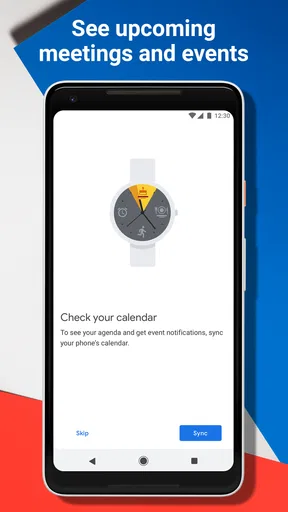
Picture a commute followed by a busy workday. I might check the next calendar item before leaving home, glance at a message while carrying coffee, and look at directions during a walk without stopping to rummage for my phone. Later, the watch can nudge me to move if I have been sitting for too long. The point is not that the wrist is always the best screen; it is that a quick check can be easier than reaching for another device.
There is a trade-off in that convenience. A watch screen is small, and replies or detailed planning are usually more comfortable on a phone. I treat the watch as a place to notice, triage, and handle brief actions, not as a miniature phone for long conversations or complicated tasks. If a notification needs thought, I can leave it for later rather than trying to compose a careful response with limited space and attention.
A Seamless Integration with Google Services
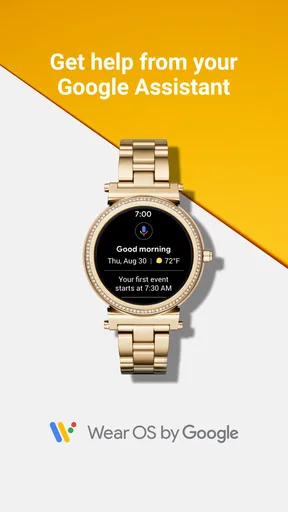
One of the standout features of the Wear OS by Google Smartwatch is its seamless integration with Google services. Whether you’re a fan of Google Assistant, Maps, or Calendar, everything is just a swipe or a voice command away. I found this especially handy when I needed to check my schedule or get directions on the go. Just saying "Hey Google" into my wrist and getting instant responses felt like living in the future.
Fitness Tracking Done Right
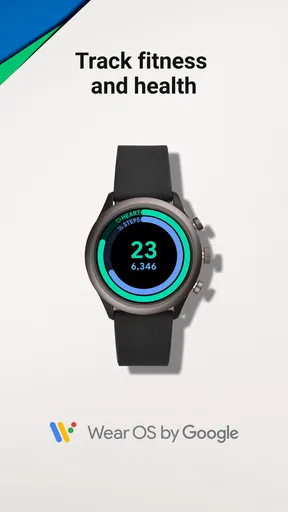
If you're a fitness enthusiast, this smartwatch won't disappoint. It comes equipped with Google Fit, which tracks everything from steps to heart rate. I loved how the watch nudged me to get moving if I’d been inactive for too long. Plus, the heart points and move minutes gamify fitness, making it more fun to stay healthy. Whether I was out for a jog or doing yoga, the smartwatch kept accurate records of my activities, which I could easily review later.
For a more useful fitness routine, I would treat those activity records as prompts for consistency rather than as a substitute for specialist sports equipment. A general activity overview can help me notice whether I have been moving regularly, but anyone who needs detailed training analysis should choose tools built around that goal. It is also worth checking which tracking options are supported by the particular watch, since the companion app cannot make different watch hardware behave identically.
Customizable Watch Faces
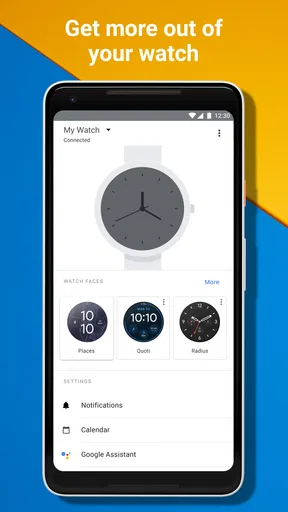
Let’s be honest, style matters, and here, the smartwatch shines. With a slew of customizable watch faces, I could switch up my look to match my outfit or mood. From classic analog looks to digital ones that displayed weather updates, the variety kept things fresh. Changing watch faces was as simple as a quick tap, making it easy to personalize my experience.
Personalization can also be practical: I would choose a face that makes the information I check most often easy to read, rather than picking one only because it looks striking. A clean layout suits quick time checks, while a face with useful complications can reduce the need to open an app. The best choice depends on whether I value glanceability, appearance, or seeing more at once; trying a few options is more helpful than assuming one design will work for every day.
Notifications and Connectivity
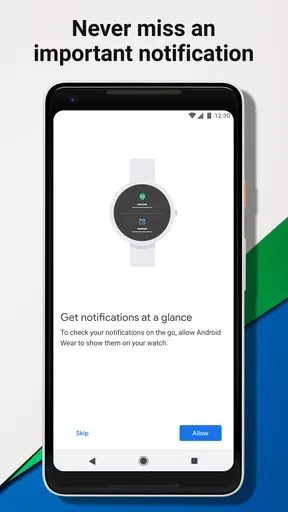
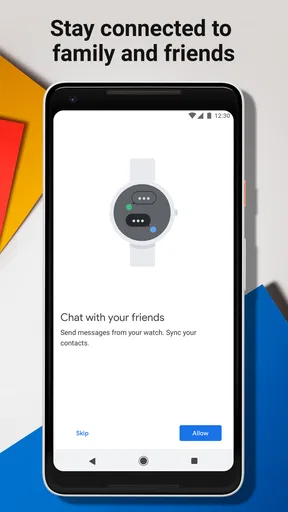
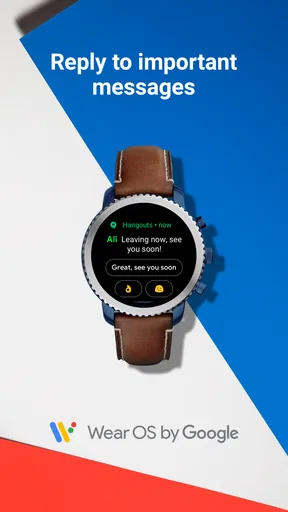
The smartwatch does a great job of keeping you connected without overwhelming you. You can receive notifications for calls, texts, and apps, and even reply to messages directly from the watch. I found it super convenient not having to dig into my bag for my phone every time I got a notification. The Bluetooth connectivity was stable, and pairing with my phone was a breeze.
For anyone wondering whether the watch can replace a phone, I would not plan on that. The value here is the connection between the two devices, so I would expect the phone to remain central for longer replies and tasks that need a bigger screen. Before relying on a notification or reply workflow, I would test it with the apps I use most and decide which alerts are worth seeing immediately. That is a more realistic way to judge whether wrist notifications help than enabling everything at once.
App Ecosystem
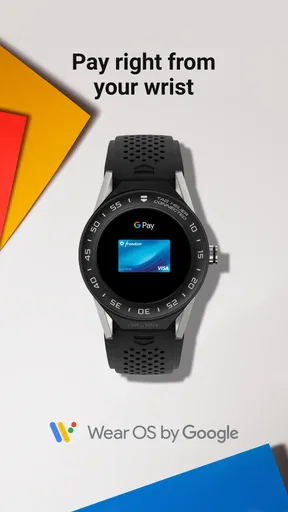
The app ecosystem for Wear OS is growing, with plenty of apps available to enhance functionality. From music apps like Spotify to productivity tools like Todoist, there’s something for everyone. I particularly enjoyed using Google Pay for quick payments, which made shopping and commuting hassle-free.
Compared with a basic fitness band, a Wear OS setup makes more sense to me when I want a broader set of watch apps and closer ties to phone services. A simpler tracker may be preferable if I only want activity summaries and minimal interaction. Other smartwatch platforms may suit people whose phones and services are already centered elsewhere. I would not choose a platform based on app names alone: I would list the few tasks I need on my wrist, then check that the watch and phone support those exact tasks together.
Battery Life and Performance
Battery life is where the smartwatch could use a bit more oomph. On average, I got about a full day of use before needing to charge. However, the charging process was quick, so it wasn't a huge inconvenience. Performance-wise, the watch was snappy and responsive, with animations and transitions running smoothly.
That charging rhythm is worth considering before switching from a simpler wearable. I would build charging into a routine—such as while getting ready or winding down—rather than assume the watch can be worn continuously without planning. If uninterrupted overnight wear matters for my habits, I would check whether the particular watch’s battery and charging routine fit that use before making it my only tracker. The companion app cannot erase the practical limits of the watch itself.
Setup, switching, and everyday fit
Moving to Wear OS is not only a matter of installing an app; it changes how I divide tasks between phone and wrist. I would begin by pairing the devices, then spend a little time deciding which notifications, watch face, and services belong there. If I am coming from another watch platform, I would expect to revisit those choices rather than assume every setting or habit will transfer in the same way. The useful question is not whether the new setup can copy the old one exactly, but whether it makes my regular routine simpler.
A good first test is a normal day rather than a special outing. I would keep the phone nearby, use the watch for the quick checks I expect to make, and notice when I still reach for the phone. If I repeatedly need the larger screen, that is not a failure; it is a sign that the watch should remain a companion, not the center of my workflow. If quick glances save time and reduce unnecessary phone handling, the setup is doing its job.
People choosing a smartwatch should also separate the companion app from the watch purchase decision. The app is free, but the overall experience depends on having compatible watch hardware, and different watches can vary in their capabilities. Wear OS has a 3.7 average from around 291,000 ratings, with over 100 million installs, which suggests broad use but does not guarantee that every model or personal setup will feel equally smooth. I would use those figures as context, then prioritize compatibility and the jobs I want the watch to handle.
Wear OS by Google was released on July 2, 2014, and it remains most compelling for someone who wants a connected smartwatch experience rather than a standalone fitness band. It is suitable for a general audience, but that does not mean every feature will suit every routine. I would skip it if I want the least complicated way to count activity, dislike wrist notifications, or do not want to charge a watch regularly. For those needs, a simpler tracker—or just the phone—may be the more sensible choice.
Final Thoughts
Overall, Wear OS by Google Smartwatch offers a robust set of features that make it a worthy companion for anyone looking to enhance their daily routine. Its integration with Google services, versatile fitness tracking, and customizable watch faces make it stand out in a crowded market. While the battery life could be improved, the performance and connectivity features more than make up for it. If you're in the market for a smartwatch that combines functionality with style, this one’s worth considering.
My recommendation is to choose it when the convenience of a quick wrist check matters more than getting every task done on the watch itself. Before committing, confirm that the specific watch works with your phone and identify the alerts and services you genuinely want to use. Then give yourself time to trim the setup until the watch feels helpful rather than noisy. For the right person, that balance is what turns a connected watch from a novelty into a useful everyday companion.
Verdict
Strengths of Wear OS by Google Smartwatch
- Seamless integration with Google services.
- Wide range of watch faces available.
- Supports third-party app installations.
- Fitness tracking with accurate sensors.
- Regular updates improve performance.
Limitations of Wear OS by Google Smartwatch
- Limited battery life on most devices.
- Not all apps are optimized for Wear OS.
- Some features require a paired phone.
- Limited customization in settings.
- Can be sluggish on older hardware.
Other Releases by Google LLC
View All
Google Calendar
Productivity4.6

Google Messages
Communication4.6

Tools4.0

Google TV
Video Players & Editors3.9
Similar Picks in This Category
View AllGoogle Messages
Google LLC4.6

Gmail
Google LLC4.1

Google Meet
Google LLC4.4

Google Chrome
Google LLC4.1

WhatsApp Messenger
WhatsApp LLC4.6

Carrier Services
Google LLC4.2
Frequently Asked Questions
What features does Wear OS by Google offer?
Wear OS by Google provides a comprehensive suite of features designed to enhance your smartwatch experience. Users can enjoy notifications, Google Assistant, fitness tracking, and customizable watch faces. Additionally, it supports various third-party apps, music control, and contactless payments via Google Pay, offering a seamless connection between your smartwatch and phone.
Is Wear OS by Google compatible with all smartphones?
Wear OS by Google is compatible with both Android and iOS devices, but the functionality varies. It works best with Android devices, offering full features like messaging and call management. iOS users may experience limited functionality, primarily with notifications and app integrations, so it's important to check compatibility before downloading.
How does Wear OS enhance fitness tracking?
Wear OS integrates with Google Fit to provide a comprehensive fitness tracking experience. It monitors heart rate, steps, calories burned, and distance traveled. Users can set goals, track workouts in real-time, and receive personalized coaching. Its synchronization with other fitness apps enhances the overall tracking and analysis of health data.
Can I customize my Wear OS watch face?
Yes, Wear OS allows extensive customization of watch faces. Users can choose from a wide variety of designs, ranging from digital and analog styles to interactive faces. Some watch faces also support complications, providing quick access to information like weather updates, calendar events, and fitness stats, enhancing both functionality and aesthetics.
How does Wear OS handle app notifications?
Wear OS efficiently manages notifications, ensuring you stay connected without constantly checking your phone. You can receive, read, and respond to messages directly from your smartwatch. Users can also customize which app notifications they wish to receive, ensuring an optimized and distraction-free experience tailored to personal preferences.
